
What Is the Best Car Camera in 2026?

Choosing the best Car Camera in 2026 is less about buying the most expensive model and more about matching features to real driving needs. A sharp image matters, but so do night performance, reliable recording, and simple controls. A camera that captures a clear license plate in daylight may struggle under rain or glare. Small details count.

This guide compares the features that make a difference on ordinary trips and longer drives. It looks at video resolution, viewing angles, parking mode, storage options, and how easily footage can be reviewed. Installation also deserves attention: loose cables near the dashboard can distract, while a poorly placed lens may miss useful details. Some features sound impressive on a product page. They may not help every driver.

There is no perfect choice for everyone. A commuter who parks outdoors may value motion detection and dependable power management. Someone who drives mostly in daylight might prefer straightforward controls and consistent video quality. Reviews and manufacturer specifications can help narrow the options, but they do not replace checking current compatibility, warranty terms, and sample footage. That part takes time. This comparison aims to make the trade-offs clearer, not pretend every test tells the whole story. A camera can support your record of an incident, but it cannot prevent every collision or guarantee that every detail will be captured.
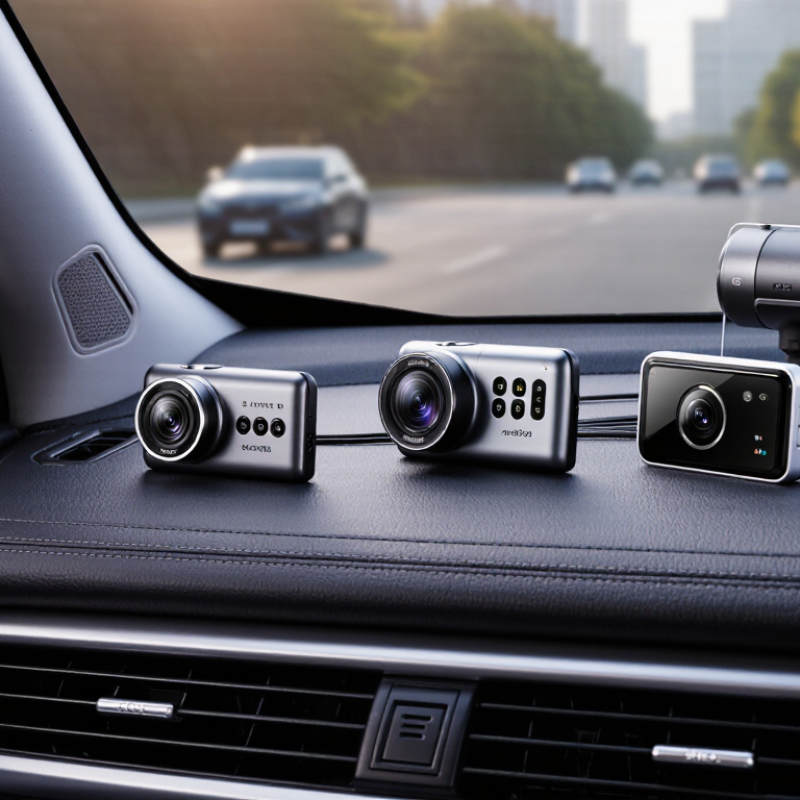
What Is the Best Car Camera in 2026?

What a Car Camera Is and How It Captures Road Events

A car camera, often called a dash camera, records the view through a vehicle’s windshield. Its lens directs light onto an image sensor, and a processor turns that image into video. Most models save footage to a memory card in short, repeating clips. When storage fills, older clips may be overwritten. A sudden jolt can trigger an impact sensor, marking a clip so it is less likely to be replaced. Some cameras also record sound, location, or speed, depending on their settings.

Small details matter. A camera mounted behind the rear-view mirror can capture the road without blocking much of the driver’s view. A clean windshield helps; so does careful positioning to reduce reflections from the dashboard. Footage quality changes with glare, rain, darkness, and motion. The camera cannot see through an obstructed window or reliably identify every distant detail. Useful, not omniscient. Before relying on an event recording, check that the date and time are correct and that saved clips can be played back. I would not assume every impact is detected: sensitivity settings, power interruptions, and the force or direction of a bump can affect what gets saved. Parking recording may also require a separate power setup.

The Main Types of Car Cameras and Their Uses

What Is the Best Car Camera in 2026?
The Main Types of Car Cameras and Their Uses

Car cameras serve different jobs, so the right type depends on what you need to see. A forward-facing dash camera records the road ahead, including traffic lights, lane changes, and sudden braking. A dual-channel system adds a rear camera, which can capture impacts or close-following traffic. Useful evidence. Yet small details, such as a plate number at night, may remain unreadable.

Rearview cameras help drivers see low obstacles while reversing. NHTSA required rear visibility technology in new passenger vehicles under 10,000 pounds from May 2018. In an IIHS study, rearview cameras were associated with 17 percent fewer police-reported backing crashes; cameras combined with parking sensors were associated with a 42 percent reduction. The study shows a benefit, not a guarantee. Mirrors and a direct check still matter.

Cabin-facing cameras record the interior and may suit families or professional fleets that need a record of passenger activity. Some systems combine cabin, front, and rear views, while 360-degree setups stitch images from several exterior cameras to assist with tight parking. More views can help, but stitching may distort distances near the bumper. Storage, night clarity, and secure mounting are practical details worth checking before choosing a system.

Key Features That Shape Car Camera Performance in 2026

In 2026, resolution alone does not tell you whether a car camera will capture useful detail. A crisp afternoon image can become noisy at dusk, especially when headlights flare across wet pavement. Look for high dynamic range, strong low-light performance, and footage that keeps license plates readable without excessive sharpening. Night tests matter. Check the actual sample clips, not just the advertised pixel count.

Field of view matters, too. A very wide lens may show more of the curb but distort distances near the edges. NHTSA’s 2014 Federal Motor Vehicle Safety Standard No. 111 sets a useful rear-visibility benchmark: the image must cover a 10-by-20-foot area behind the vehicle and appear within two seconds. That standard addresses rear visibility, not dash-camera recording quality, so treat it as a coverage reference rather than a buying score. For recording cameras, check frame-rate consistency, heat tolerance, and whether loop recording protects recent footage when storage fills. One limitation remains: no camera can capture detail its lens never sees. A careful comparison of daytime and nighttime clips is still more revealing than a long feature list.

What Is the Best Car Camera in 2026? – Key Features That Shape Car Camera Performance in 2026

Performance factor What to evaluate How it affects performance Practical selection guidance
Video resolution Native recording resolution, such as 3840 × 2160 (4K UHD) or 1920 × 1080 (Full HD) Higher native resolution can preserve more scene detail, but results also depend on the lens, sensor, focus, and image processing. Check sample footage and confirm that the stated resolution is captured natively rather than enlarged from a lower-resolution image.
Low-light performance Night footage, sensor performance, lens aperture, exposure, and noise handling Good low-light capture can make vehicles and road details easier to distinguish after dark. Brightness alone does not guarantee clear detail. Review unedited nighttime samples, especially footage with headlights, streetlights, and dark road areas.
HDR and wide dynamic range Handling of bright skies, shadows, tunnels, and oncoming headlights High-dynamic-range processing can balance bright and dark areas in the same scene, though effectiveness varies by implementation. Compare sample clips in changing light; look for readable details without excessive glare or dark areas becoming indistinct.
Frame rate Frames per second (fps), such as 30 fps or 60 fps, at the selected resolution A higher frame rate can make motion appear smoother, but may use more storage and can reduce the time available for each exposure in low light. Choose a mode that records reliably at the desired resolution; assess motion clarity and nighttime quality together.
Field of view and lens Horizontal coverage, edge distortion, focus, and windshield placement A wider view captures more of the surroundings but can make distant objects appear smaller and may increase distortion near the edges. Look for a useful balance between road coverage and detail; check that the camera can be mounted without obstructing the driver’s view.
Front and rear coverage Number of channels, rear-camera resolution, cable routing, and synchronized recording A rear camera can document events behind the vehicle, while a multi-camera setup may require more storage and careful installation. Check the recorded resolution of each camera and whether rear footage is captured simultaneously with front footage.
Storage and loop recording Supported memory-card capacity, recording bitrate, file segmentation, and overwrite behavior Higher bitrates and additional cameras use more space. Loop recording typically replaces older unprotected clips when storage fills. Use a compatible, endurance-rated card and check how event files are protected from routine overwriting.
Parking-mode recording Motion or impact detection, time-lapse options, power method, and low-voltage protection Recording while parked needs a suitable power supply. A low-voltage cutoff can help reduce the risk of draining the vehicle battery. Confirm the required hardwiring or external power accessory and follow the vehicle and camera installation instructions.
Heat tolerance and power design Specified operating-temperature range, power component type, and shutdown behavior A parked vehicle can become hot. The stated operating range and power design affect reliability in hot conditions. Check the published operating range for the camera and its power components, especially if the vehicle is often parked outdoors.
GPS and event data Location and time logging, playback support, and optional speed display GPS can add location and time information to recordings. Speed overlays may raise privacy or legal considerations depending on use and location. Choose only the data features you need, and check whether overlays can be disabled.
Ease of use and file access Screen or app controls, clip export, playback, and firmware-update process Straightforward access makes it easier to review and save important footage when needed. Test how clips are viewed and exported, and check that essential recording works without a phone connection.

Selection guide: performance depends on the complete camera system and installation. Compare real sample footage and verify compatibility before purchase.

How to Compare Cameras for Different Driving Needs

Match the camera to the drive, not the biggest number on the box. Daily commuters may value a clear front view and readable plates at ordinary road distances. According to NHTSA’s 2022 report, distraction-affected crashes killed 3,308 people in the United States. A camera cannot prevent every collision, but reliable footage may help clarify what happened. Choose simple controls that do not invite fiddling while driving.

For long commutes, compare low-light performance and heat tolerance, not resolution alone. Night footage matters. Drivers who park on busy streets may need impact-triggered recording, while frequent highway drivers may prefer a rear camera to capture close-following traffic. Check sample clips in daylight, shade, and at night; look for glare from headlights and detail near the frame edges. A very wide lens can show more, yet make distant objects look smaller. That trade-off is easy to miss.

Tips: Confirm how clips are saved, protected, and overwritten before buying. Keep the lens clear, and test playback on a computer. If the image looks sharp only on a tiny screen, think twice. A camera is useful only when its footage is accessible and clear enough to review.

How to Choose a Camera for Your Vehicle and Budget

Choosing the best car camera starts with your driving habits, not the highest resolution on the box. A daily commuter may value clear front-facing footage and reliable night recording. Someone who regularly parks outdoors may prefer a model with rear coverage and a parking mode. Check that the camera fits your windshield without blocking your view. Small details matter.

Resolution is useful, but it is not the whole story. A wide lens can capture nearby lanes, yet excessive width may make distant plates harder to read. Look for sample footage recorded in daylight, at night, and in rain. Check the camera’s storage requirements, too; high-resolution video fills memory cards quickly. Parking mode can also draw power, so confirm how it connects and whether your vehicle needs a separate power solution. These details are easy to overlook.

Tips: Set a realistic budget that includes a memory card and installation, if needed. Before buying, measure the space near your rear-view mirror and check cable routing. Keep the lens clean, especially after dusty drives. Do not assume every feature will work equally well in your car. A camera that is simple to operate may serve you better than one packed with settings you rarely use. I’d still compare real footage before deciding; specifications can sound impressive, but they do not show every weakness.

Call Now Button